25.05.2021

Acquia Certification – the benefits of Drupal developer’s ultimate test

During the last year several Druids (myself included) have gotten certified by Acquia – sponsored by Druid, of course. Acquia Certification is the professional certification program for Drupal developers. Being a current benchmark in the technology, it verifies that the developer meets the standard and has an extensive expertise in the field.

I interviewed our recently certified developers, Sebastian, Markus, Robert, and Simo about their thoughts on the certification programs – Acquia Certified Developer and Acquia Certified Front End Specialist.

The Acquia Certified Developer certification is considered to be a more general exam that validates skills in the areas of Fundamental Web Concepts, Site Building, Front End Development (theming), and Back End Development (coding). The latter is more oriented on front-end technologies and the Drupal principles in this area.

Is the certification worth it?

If you ask us, the answers is yes, it’s definitely worth the effort. Everyone found the certification useful both for extending the knowledge and for demonstrating the level of expertise to customers and employers alike. Today, it’s very important to stand out in a competitive marketplace. In my view, this certification is an easy way to verify that your knowledge matches a certain standard. 

“Now I’ve got a better understanding of my stronger and weaker points,” Robert said. “This exam became a good opportunity to get the broadest view of the technology and also to identify areas where I can improve.”

Simo added: “I’ve been working with Drupal for a very long time starting with Drupal 5, then 6, 7, 8, and now Drupal 9. The preparation for the exam helped me to check out the current best practices and to get away from the old ways of writing code used in earlier versions of Drupal.” 

“This exam was more about the verification of what I actually know,” Markus said. “But it was a good experience.” Sebastian concluded that it was a good opportunity to demonstrate our proficiency to our customers. Indeed, some of our customers highly value this kind of confirmation about the level of Druid developers. 
About the exam questions

The questions were based on real work experience and thus they were relevant to daily work, which everyone thought was great. Working with a wide range of projects, you bump into different kinds of problems and should quickly come up with solutions. If you’ve solved some problem before, you can easily find the correct answer in the exam. If not, it’s a good opportunity to learn more about the subject so you know how to approach the problem when you face it.

“There were some tricky questions at first glance, but if you’re to be qualified as an expert in the field, you should know the precise answer to it,” commented Sebastian.

Simo pointed out that coding standards are quite often neglected, and the exam questions remind you about them. Markus found it important that the security related knowledge was tested thoroughly. 

Personally I like that an essential part of each Acquia exam is Fundamental Web Technologies where your knowledge of JavaScript and other underlying techs is tested.

Boost in professional development

I think the exam preparation provides you with a comprehensive overview. You start seeing the big picture and you can find out some details you might have missed or have not worked with before. It’s also some source of motivation to explore more, to step beyond the theory and apply the learnings in the code. So in that sense I think the certification can help you become a better developer. 

Both Sebastian and Robert thought that studying for the exam was probably the most beneficial part of the certification program. You can learn entirely new things. For example, I was surprised how much the Layout API and Layout Builder were improved in Drupal 9, and how much attention the Drupal community is now paying to accessibility.

“I’ve got a deeper understanding about caching systems in Drupal. Also the comprehensive study of Drupal API in general and in-depth look at backend concepts should be beneficial,” said Robert.

Markus pointed out that sometimes you’re more influenced by your peers than by any test as you learn from the actual building of the software, not from reading a book. But in both cases you promote yourself by applying new knowledge in your projects.

So if you’re into measuring your Drupal expertise…

We all definitely recommend the certification. If you’re planning to get certified, the tips from the study guides provided by Acquia come in handy. 

Basically, you have two main ways of measuring your expertise – via experience and real life projects, or via certifications. According to the guys, there are often debates over whether IT certifications have some value or not, but in this case they admit the test is useful, especially for Drupal CMS where the learning curve is quite steep. They suggest pursuing something similar for Vue or React if you’re more focused on frontend for example, as this certification is naturally mostly focused on Drupal.

“While it’s good to verify your expertise by passing the exams, you should not forget about contribution to the community which is also one way to show your knowledge,” added Markus. “If you don’t contribute that much, certification is a good way.”

The certifications themselves do not prove that you’re the most talented developer in the world, but they definitely help your career, especially if you’re just in the beginning. They’ll also help you to get noticed by big companies who pay a lot of attention to your education and certifications. Besides, it never hurts to learn something new. So, I encourage you to just go for it!

Useful links:

General information about the certification:
https://www.acquia.com/support/training-certification/acquia-certification

Study guides for Acquia Drupal certifications:
https://docs.acquia.com/certification/study-guides/

You can find our certified developers in Acquia Certification Registry:
https://certification.acquia.com/?org=druid&exam=All
17.05.2021

8 things we learned at Druid

Last week we said goodbye to our wonderful interns Florence and Bea. During their four month internship with us, they built a demo application with JavaScript for car repair shops and their customers – and did an absolutely brilliant job.

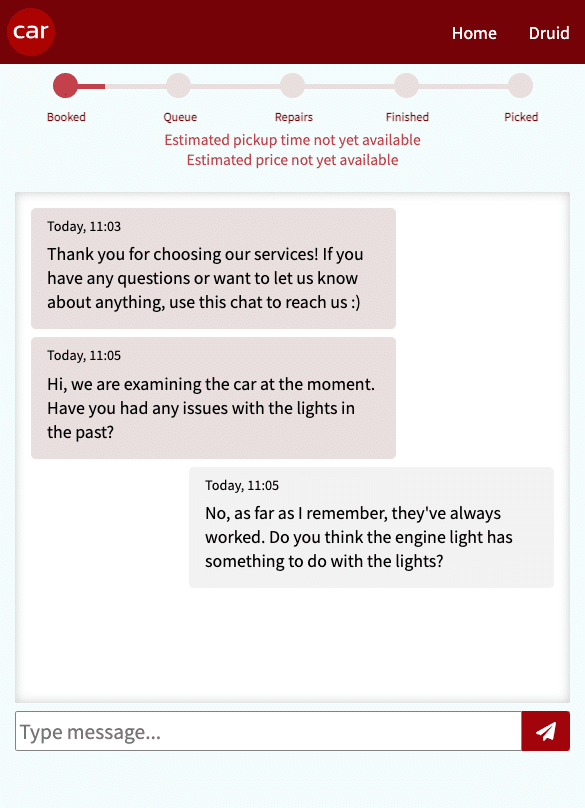
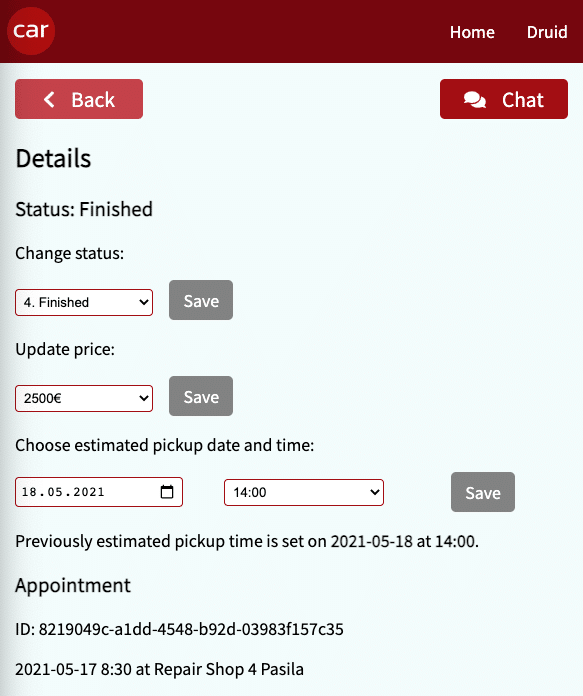
The app lets users choose the nearest car repair shop, book an appointment for car maintenance, keep in touch with the shop through in-app chat and see the progress stage of their car as it’s being repaired. The app was built with the user in mind, focusing on the user’s convenience.

Before Bea and Florence embarked on new adventures, we asked them to write about their learnings and experiences from the project and beyond. It turned out they had a lot to share – so let’s dive right in!

1. Progressive Web Apps (PWA)

PWAs have been in the app ecosystem for some time and you may have probably used one without knowing. They are web apps with an enhanced capability in modern web browsers.

Among many of the features we discovered are its installability, offline mode experience, linkability, native-app feel, re-engaging nature and a single codebase that can be used on different devices. It was interesting to know that companies like Uber, Trivago, AliExpress, Spotify, Starbucks and Pinterest are already using PWAs as their web service platform.

Although it was a new concept for us, a lot of research enlightened us on how we could apply it in the project we wanted to build. We built a PWA with Create React App (CRA) which was incredibly convenient because CRA has a template for building PWAs.

2. Teamwork

Team synergy was by far one of the most important factors that influenced the outcome of our project. This encompasses a lot of factors ranging from setting project expectations to good and clear communication.

We tried as much as possible to be on the same page in the building process of the project. From the technical perspective, we set up a system where we could review each other’s codes before merging changes to our main branch. That meant we had to ensure we were writing readable and understandable codes. In order to ensure uniformity in our codebase, we had rules set in ESLINT.

After working independently to solve complex problems for more than half-way into the internship, we decided to try pair coding at some point. To be honest, we wished we had started with pair coding much earlier, because we realised how knowledge sharing contributed to arriving at solutions quickly.

Home office. Luckily our internship wasn’t an entirely remote experience as we were able to work in the office as well.

3. Who needs a server these days?

You may have heard about “serverless backend”, which means running your server-side code without having to maintain your own server. The solution is tempting, because it cuts the costs (on-demand, so you don’t pay for idle time of the server), it’s easy to scale and lowers administrative overhead.

AWS Lambda is a popular choice, but managing service discovery, API gateways, and keeping your app and the functions in sync can be overwhelming – that’s where Netlify functions come to the rescue. We chose to use them in our project, because they are a make-it-easier layer over Lambda functions, which means we could use them without an AWS account; also, keeping everything up to date was a breeze.

With the serverless functions in a correctly named folder in the project, we were deploying our React frontend together with the serverless backend at the same time and Netlify did the dirty work handling all the rest. Add to that the continuous deployment straight from our GitHub repository, including previews of pull requests updates, and you got yourself a recipe for painless deployment handling!

4. Mercure for real-time features

For our app we needed real-time communication to create our in-app chat and to update the UI of the end user when the admin changes the state of the user’s appointment. We decided to use Mercure, an open protocol not using Web Sockets, but instead built on top of HTTP and SSE (Server-Sent Events).

With the Mercure Hub set up (using Docker image for local development and deployed to Druid’s server for production), we needed to do two things in our app: publish updates and subscribe to them.

Publishing happens when someone sends a new chat message or the admin changes the appointment state – a regular POST request is sent from our frontend to the serverless backend, where the data is saved to the database and Mercure update is published to the Hub.

Then the Hub’s job is to pass this update down the correct channels, so that only the users subscribed to it get the information. Subscribers are browsers; for example when an end user opens their appointment view, the app subscribes to updates about their appointment (change of stage or price estimate) and to updates of their chat (and only theirs, so that they don’t get somebody else’s messages by mistake).

To subscribe, we used EventSource, which is kind of a keep-alive connection to the server (the Mercure Hub in our case) and differs from Web Sockets in that EventSource is one-way communication, it can only listen to updates, not send any – which is all we needed.

In-app chat

5. Web push notifications

Like any new feature that was implemented without prior knowledge of how it should work, implementing push notification was mostly learning by doing. Push notifications are messages sent to user’s devices from a website via a browser. And with the offline feature of PWAs, users do not miss notifications even when they are not online.

Looking at our app’s use case, push notification capabilities were useful for notifying users whenever there was a change in information. For eCommerce and marketers it’s an amazing way to re-engage with web visitors whenever there are new products, releases, etc. It was relevant to build this feature, especially as PWAs are becoming more popular and being supported by more browsers.

6. User experience

We needed to keep the end user in mind as we worked on our app. Have you noticed the unexpected shifting of elements like videos, buttons or fonts on a web page while the page is still loading? Exactly, that can cause a poor user experience and is referred to as Cumulative Layout Shift (CLS). It’s a Google metric which is used to measure the user’s experience on a web page.

CLS is usually a good way to detect coding issues which could be resolved to improve usability on your site. These may be tiny details that could slip through during development and may seem “irrelevant”, but they definitely count! What is the point in building an app that lacks usability? Knowing about CLS and its importance highlighted user experience as an important skill to have as it makes us better developers.

Admin side

7. Scrummy Scrum

Agile methodologies have become the default way of working in the software development field, so to nobody’s surprise we used the Scrum method in our project. We learnt about this style at school, but only working on a long-term project unveils the true power of Scrum.

Thanks to the regular feedback sessions in retrospective meetings, with every iteration there were less conflicts or misunderstandings, with every sprint we worked better and more efficiently. For every ticket in the backlog we assigned points to estimate the time and effort needed to complete the task, which helped us understand deeper the goals, expectations and each other’s views.

We also made mistakes like not deploying every sprint – it came back to bite us in the last few weeks of the project as we ended up with several issues accumulated in production. Debugging and understanding which error is caused by which part of the code failing was unnecessarily complicated, so lesson learnt!

8. Teal is the new black

There’s so much more in the management philosophies landscape than the traditional, hierarchical way of big bosses, small bosses and the workers. Druid is slowly but steadily undergoing a Teal transformation, aiming at a flatter management structure.

Many tasks at the company are being taken care of by swarms – a group of people interested in the issue or topic around which the swarm was formed. The doers declare their readiness to put time and effort into the subject, the helpers can offer a little less time, and the followers are interested in the works, but for one reason or another can’t promise much help.

In our time at Druid we had a chance to observe among other things the work of the salary week swarm who took care of designing and executing salary negotiations. The best thing about swarms is they can be formed as issues or tasks arise, and torn down when they solve what they were born to do or when they become inactive and die out.

Another part of the Teal way that we found interesting is the advice process helping in decision making. When there is a decision to be made, one person volunteers to be the decision maker and asks for advice, especially from people directly affected by the decision and from experts on the topic. Others can then give advice (not their opinion, but strictly advice), but the final choice of course of action is made by the decision-maker – that also includes full responsibility for the outcome.

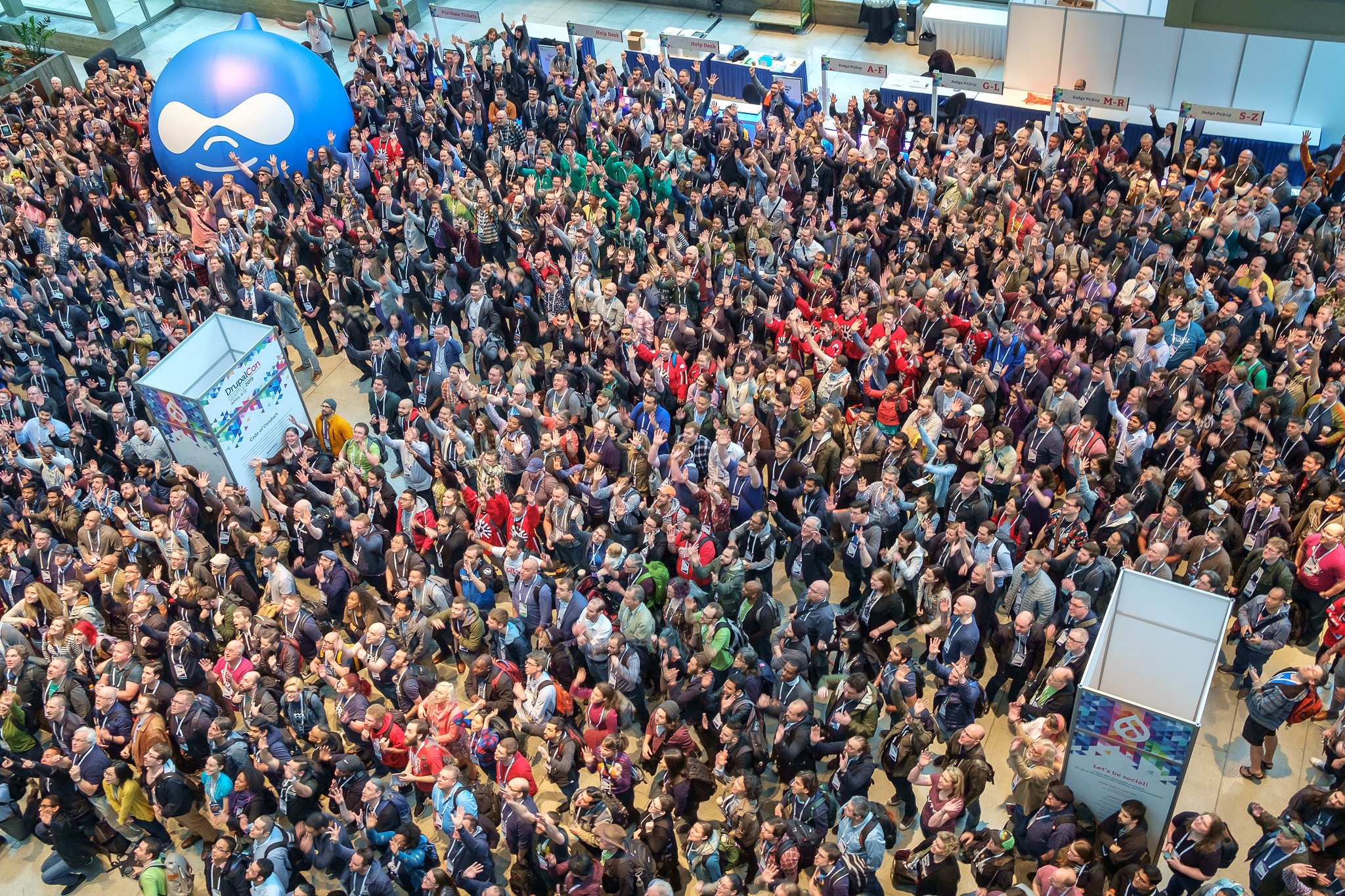
DrupalCon Seattle group photo
29.05.2020

Drupal 9 is soon here – the upgrade may be a breeze or a great undertaking

A new version of the Drupal content management system will be released on June 3rd 2020. You will have to migrate to Drupal 9 by November 2021, if you are now using Drupal 8. Drupal 7, on the other hand, will have a longer transition period until November 2022. After these deadlines, support for the earlier Drupal 7 and 8 versions will cease and security updates will no longer be provided for them. What will change with the new version 9? How much work is it to upgrade the system?


Good news first: upgrading will be over in a jiffy if you are running an up-to-date Drupal 8 system. Basically nothing will change. For example, our site here is already running on a beta version of Drupal 9, and the upgrade was done in essentially no time at all. However, every case will not be as straightforward, and especially Drupal 7 based websites will be in for quite an undertaking.

Drupal 8 upgrades easily and without risk

There’s no denying that many of Drupal’s previous major version upgrades have been quite laborious and even somewhat tricky, requiring a complete website overhaul from a technical standpoint.

But now everything is different. This time Drupal hasn’t been completely reinvented, and the version upgrade promises to be the easiest in a decade – provided that your web service is running the latest Drupal 8 version, since Drupal 9 is not that different from it.

From a technical standpoint, Drupal 9 is like the last version of Drupal 8, with deprecated code cleaned out and dependencies for third party systems updated. The migration is likely to be simple and smooth with no need for large overhauls for your website.

A basic web site upgrade to Drupal 9 will take next to no time, as long as the site is up to date and doesn’t use obsolete modules or APIs. If your site uses additional modules, it must be first checked whether they are ready to upgrade. Also custom code should be checked beforehand.

What if you are still running Drupal 7?

Long story short: this is the time you should start considering and planning a website overhaul, since you will be in for quite a big project with a deadline looming on November 28th 2022 when the support for Drupal 7 ceases.

Drupal 7 is still widely used, but updating to version 9 will inevitable be a much more complicated affair, or at least more laborious. The technology of Drupal 7 websites will have to be completely overhauled to be able to migrate to version 9, since the technological changes between versions 7 and 8 were so substantial.

The good news is, however, that in all likelihood this will be the last big migration that your web service will ever need.

This is because Drupal’s product development has shifted from a rather heavy project based model to a more modern and agile continuous development process: instead of tearing down and reintroducing the whole system every few years, new features and improvements will now be released in a faster cycle and with less upgrade effort.

Why should you upgrade to Drupal 9 now rather than later?

Feature-wise, Drupal 9 is a match for Drupal 8. Its purpose is to offer as effortless a migration from Drupal 8 as possible, with revisions done under the hood only to enable security support from November 2021 onwards. That means no hurry, right?

Well, there shouldn’t be a need to panic just yet, but we strongly advise you to upgrade as soon as possible, because, going forward, new features and improvements will be released twice a year through smaller updates. The next such update, Drupal 9.1.0, has been scheduled for release in December this year.

For example, the modernization of the admin interface is on its final stretch at the moment. It will introduce improvements to site administration and content management. When you upgrade your web service to Drupal 9 early on, you will be at the forefront of the system’s development cycle and will be able to reap the benefits of the continuous development process.

We can help you upgrade your Drupal system

We are among the top Drupal experts in Finland, and we know Drupal inside and out. Contact us – we’ll see what it will take to upgrade your web service to the new Drupal 9 version.

With our clients we have already gone through their upgrade needs on a preliminary level at the least. If this post has raised new questions or you have something on your mind, by all means get in touch with us.


Edit June 25th 2020: Drupal 7’s end-of-life has been extended until November 2022 due to COVID-19 impact on budgets and businesses. The text has been updated accordingly.

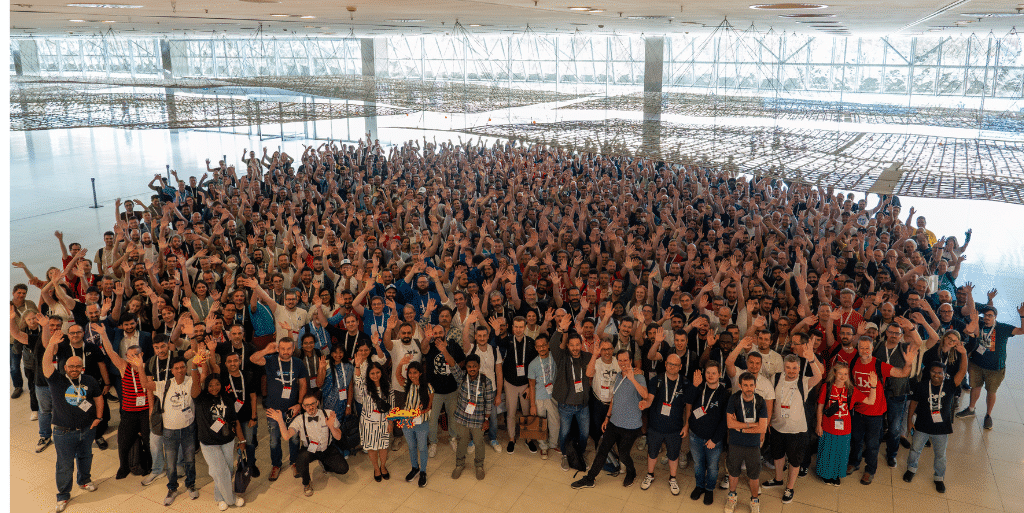
Image:Preparing for the group photo at DrupalCon Seattle” / Rob Shea / CC BY-SA 2.0

Author

laptop table coffee light
25.11.2018
Marko Korhonen

And now for something completely different

Druid is known for being a Drupal-house. And we are. Most of the projects for us are still in the category of Drupal where a CMS is needed. But Drupal is not always the right tool for the job. Like Dries Buytaert stated in DrupalCon Vienna, “Drupal is no longer for simple sites”, and generally not for all use cases. That said, Drupal is still a very good choice for the right jobs. 

We have recently had some non-Drupal projects, and now I’m going to tell about one of those. Non-Drupal meaning, however, that the tech stack wasn’t completely new to us, as we are already very familiar with the programming languages themselves (PHP and JavaScript).

The need – say no more, say no more

Our customer had a need which was not totally structured at the moment as they targeted a market which is under a major disruption. The digital landscape for this particular market is evolving, and as is often the case with evolution, you need to adapt or perish. What we already knew from the start was that the application needed to be mobile-friendly and its main function should be to facilitate communication between users. Create a backlog from that!

Mobile? So we thought PWA is the way to go. At Druid we have been fans of PWA for a while, and we have written about this exciting concept before. Progressive Web Applications are the future and show much promise. PWA is also a very good choice when you want to distribute your apps without App Store or Play Store. For example, some internal tools could be delivered from intranets. I’ll tell more about PWA later. Anyway, we thought that PWA would suit the need very well.

Communication? Wink wink nudge nudge. Say no more, say no more. This raised ideas for data structuring and for the UI.

Tech stack – And Now for Something Completely Different

We decided to go bold and try totally new components for this project: frontend, backend, database and infrastructure. Of course, there was knowledge and learning behind these things with some PoCs and such. And like I said, we were familiar with the tech. Or at least someone on the team was.

If we start from the bottom, we chose Docker for being the glue between components and between environments. We quickly drafted an open source version of this Docker thingie and released it as a separate thing. Stonehenge is a multi-project local development environment and toolset on Docker. Now the project uses Stonehenge as a developer’s tool to run it. As the local development environment is quite a common problem for developers, we thought this could be beneficial for others too. So that’s why we extracted this functionality from the project and released it as a separate tool.

Basically, Stonehenge provides us with local URLs and a proxy to handle the traffic to our projects. Proxy is made with Traefik which is just a breeze of fresh air compared to any previous tech used for the same purpose. I can say it works and performs very well on production too!

The project itself defines the services for our application. The basic stuff like Nginx, PHP, database and CLI and their relationships. We use Docker Compose for this.

For the application itself, we chose Symfony 4 for the backend and React for the frontend. Basically, Symfony creates a standard JSON API which the React application then uses. One reason we chose Symfony was the support for our database (what could it be?) via Doctrine. When evaluating different backend (PHP) frameworks, we studied the experiences of other developers, and there seemed to be nothing but praise for Symfony 4. And it really was a pleasure I can say. Some of us already had experience with Symfony as Drupal 8 is built on top of Symfony 3. Still, there were many new things for us to learn.

The database. MySQL, MariaDB, PostgreSQL or something else? We ended up choosing MongoDB to complete our jump into the unknown. MongoDB is a so-called NoSQL database where data is stored as objects instead of rows. This is very useful with data that can be very different by structure (read: document might have data which the other documents of the same type do not have). Also, the schema does not need to be defined beforehand (and updated) but it just lives by how you use your document entities.

React is something which I personally cannot write very much about, however my colleague Kristian has written a small recap of its use in our project below. Beware though: the Dependency Hell in Javascript world and the vast amount of same-but-different kind of tools available might sometimes make a developer’s life not-so-easy.

Quote from Kristian:

“It was pretty great to work with React on a large-scale project. In general, it was surprisingly easy. We did make some mistakes early on, which ended up forcing us to refactor. The original plan was to render the majority of the application with Twig, and only the communication aspect would be controlled by React. Eventually, the majority of the application was ported to our React app.

This means that we initially didn’t implement any sort of routing system and we didn’t think enough about the architecture of our store. Luckily we were able to refactor with relative ease once these problems presented themselves. 

Probably the most fun thing during this application for me was working with MobX. This is something I’ve wanted to do for a long time, and I’m glad I got a chance to finally use it in a commercial application. Essentially MobX is a state management tool built on the observer pattern. All observers who are watching an observable variable will magically update whenever the observable value changes. If there is one thing I’d do differently next time, I’d probably use MobX State Tree, which is a more opinionated version of MobX with some Redux-like behavior, without the overhead of Redux.”

Well, there you have it.

As we jumped on the PWA bandwagon, React helped us there to basically create a single page app which helps on some aspects on PWA. What does a PWA do, one might ask? You can think of it as an app which is basically a webpage. That means no App Store or Play Store for distribution. The app is updated when the web application is updated. There are a few distinct features to make it an “app like” experience: caching of assets for speed, standalone mode (to make your own UI without browser components), access to some mobile APIs and offline capabilities. There are also push notifications which currently work only on Android. Check the 2018 State of Progressive Web Apps for more info.

Progressive Web Applications is funny enough something Apple envisioned already in 2007 when they announced/released the original iPhone. Currently they are very strongly driven by Google. So this means basically that PWA works better on Android phones at the moment.

Fortune favors the bold, and I strongly believe the PWA is the future of apps and especially useful when creating tools for organizations and business.

Well, that was quite a long rant about technical stuff. Let’s take a breath for a moment.

“And now a film about a man with a tape recorder up his brother’s nose”

GDPR aspect

Yeah, the infamous GDPR. At this point we don’t have actual user data, so we’re nicely covered. But we designed the whole development on dummy data which started to be very fruitful during the project. We programmatically added data fixtures, which filled our database with dummy data. So in that sense, we’re totally GDPR-compliant when we do development. We don’t need production data.

This gave us some unexpected benefits too. In testing for example, we quickly noticed that we can use this generated data within our tests. How cool is that! Well, it is quite cool I can say.

“In this picture, there are 47 people. None of them can be seen.”

Next steps

The project is now in MVP state and moves to “field-testing” phase. Hopefully, end-users will like what we have done. The testing will be done with small groups and in a controlled way. This means we use a certain set of generated data suited for that test group. Also, we control the PWA aspect of the MVP. At the moment it works best on Android, so that will be the platform used in testing in testing.

“Now, what’s to be done? Tell me sir, have you confused your cat recently?”

About the coconut

We have learned a lot! This means that our learnings are already influencing our new projects and somewhat of how we handle older projects. We’re about to copy the backend stuff for a new API-only project and the Docker stuff has evolved into a very usable state. And releasing an open source project (Stonehenge) was a definite plus!

The most exciting part at least for me has been to share all this with more and more people inside Druid so that all the learnings can be put into practice on a wider scale.

“Wait a minute — supposing two swallows carried it together?”

Marko Korhonen
CTO, The Ministry of Silly Walks

Author

Marko Korhonen

Platform Engineering Lead
08.02.2018

Working with Progressive Web Apps

At Druid we are always keeping our eyes open for new technologies, which can benefit both us and our clients. Recently we have been experimenting with Progressive Web Apps. 

TL;DR

  • Progressive Web Apps provide handy app-like functionality for web applications
  • The two major requirements are the manifest.json and a service worker
  • PWAs can be the answer to user’s unwillingness to install apps on their phone

So without further ado, let’s delve into the world of manifests and service workers…

What are Progressive Web Apps?

PWA is a term for web apps that share certain features with mobile applications (i. e. phone apps).  Essentially a PWA is a web app with several modern web capabilities designed to give users a browsing experience similar to using a mobile app.

Before we get started, it should be mentioned that some of these features will not work on all phones. As of writing this blog post, iOS does not yet fully support PWAs.

The requirements

In order to be considered by browsers to be a Progressive Web App, your app must meet a list of requirements.

The most important points are these: 

  • Site is served over HTTPS
  • Pages are responsive and mobile-friendly
  • Site must work offline
  • A manifest must be provided
  • A service worker must be registered
  • Site must load fast enough for 3G

Now, most of these features that you would include anyway if you were building a web app. However, there are two important aspects, which make PWAs different than normal web apps, which I will give a brief introduction to here:

The Manifest

A manifest is a simple file which essentially tells browsers that this is a PWA. The specification can be read in details here: https://w3c.github.io/manifest/

It’s possible to define a lot of functionality in the manifest, such as a visual theme, orientation (landscape or portrait), basic configuring of colours, etc. The only mandatory fields of your manifest are name and short_name. These describe the name of your app. 

The manifest must be referred from your HTML head, like so

<link rel=“manifest” href=“/manifest.json”>

Service Worker

This is kind of the body of your PWA. It is able to process all requests to and from your site from the client’s browser. Every time the user makes a request to your site, the ‘fetch’ event is triggered and you can handle that request however you wish. 

A service worker runs in your browser (it does not have access to the DOM). The service worker is a “special” JavaScript file, which runs in a different scope than regular frontend JS. The browser can execute this script without the page being open. It can even be executed while the browser is closed. This is extremely handy for several app-like features, such as push notifications. In this article we will only scratch the basics, so we will not really be using much of this advanced functionality. 

Unlike frontend JavaScript, the service worker needs to be registered to the browser navigator.

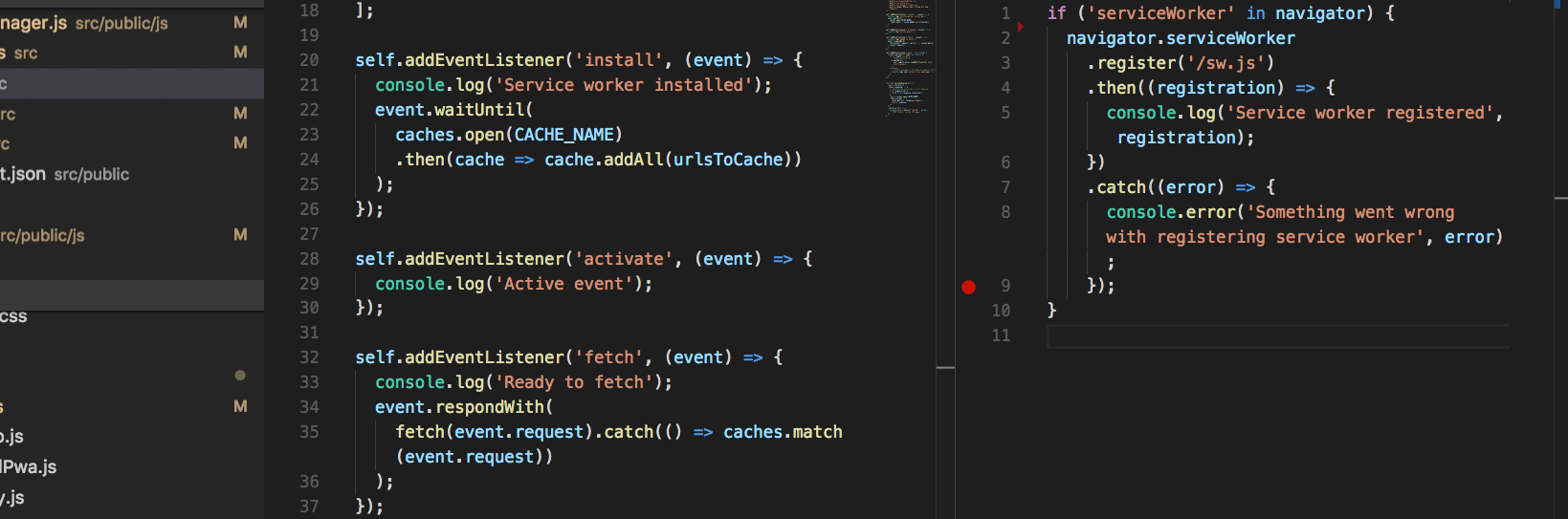
I’ve included the script app.js in my HTML and from there the following code is executed:

if ('serviceWorker' in navigator) {
  navigator.serviceWorker
    .register('/sw.js')
    .then((registration) => {
      console.log('Service worker registered', registration);
    })
    .catch((error) => {
      console.error('Something went wrong with registering service worker', error);
    });
}

Then, in the ServiceWorker, you can add eventListeners.The most important events are install and fetch

install

This event runs the first time the user visits your site. Since it will only run once, it is expected that page load might take slightly longer than normal during this request.

const CACHE_NAME = 'static_cache';

const urlsToCache = [
  '.',
  '/js/script.js',
  '/css/style.css',
  '/images/myCat.png',
  '/images/myDog.png'
];

self.addEventListener('install', (event) => {
  event.waitUntil(
    caches.open(CACHE_NAME)
      .then(cache => cache.addAll(urlsToCache))
  );
});

The previous code defined the name of the cache we will be using and an array of URLs that should be cached immediately. Your cache will be created if it does not exist. You can add any internal URL here. Just keep in mind that the ServiceWorker has a certain scope. The scope is equivalent to its URL. So for example in the previous code, the service worker is located at /sw.js, which means that its scope spans the entire site. If the ServiceWorker was located at /swdir/sw.js, It would only be able to handle requests within the /swdir/ url.

fetch

Now comes the exciting part – fetch. As I mentioned earlier, this event is triggered every time (except the first) a user makes a request to your site. 

self.addEventListener('fetch', (event) => {
  console.log('Fetching data for', event.request.url);
  event.respondWith(
    caches.match(event.request).then((response) => {
      if (response) {
        console.log('Returning ' + event.request.url + ' from cache');
        return response;
      } else {
        console.log('Fetching ' + event.request.url + ' from network');
        return fetch(event.request);
        // TODO Add fetched file to cache
      }
    }).catch((error) => {
      // TODO Handle error
    });
  );
});

Remember, fetch is triggered every time a request is made for an individual file on your server. So for example, if the user visits index.html, it’s possible that a fetch event will be triggered individually for the urls index.html, /js/script.js, /css/style.css and /images/myCat.png. So in that case it will run 4 times. 

The previous code is a simple way of serving offline content. For each request, the ServiceWorker checks if the file already exists in cache. If it does, it is served to the user. Otherwise, the file is fetched from the server.

With this simple code, it is possible to have an offline PWA up and running. 

Some advice

While the concept of PWA isn’t extremely daunting or anything, there are definitely certain aspects that can be confusing and frustrating. Listed below are some of the more useful tools I used when learning the basics of PWA:

Lighthouse

Lighthouse is a built-in tool for Google Chrome designed specifically for testing Progressive Web Apps. Just go to your page, open Chrome DevTools and press the tab “Audits”. Lastly, press the blue button called “Perform an audit…”. Chrome will then run all the tests and give you the results in an easy-to-digest list. In case of failed audits, the reason for failure should be pretty self-explanatory. If you’re like me and like the shotgun approach, just keep modifying your code and re-run Lighthouse until it’s all green. Do keep in mind that your site needs to be served in HTTPS, so in case you’re testing on localhost, this audit will invariably fail. 

Google Developers

Google has some very good and up-to-date resources on PWA. One nice thing about their docs is that it will automatically warn you if the article is old and therefore more likely to be deprecated. 

Conclusion

Progressive Web Apps are a new exciting technology and it is definitely worth it to invest some resources into learning this technology. In an age where users no longer want to install apps on their mobile devices, PWAs serve as a nice middleground between the modern web applications and more traditional mobile applications. 

20.09.2017
Samuli Aalto-Setälä

Making super fast virtual machines with passthrough

Reader beware: this text is highly technical! It’s meant for fellow developers and tech enthusiasts. We’ll take a look at using virtualization as a no-compromise replacement for dual booting between operating systems, emphasis on the word no-compromise. Many tasks are quite feasible even with a basic VM, for example testing websites in a legacy browser not available on current operating systems. For more demanding tasks, booting to another natively running OS and then back just for one specific app or a gaming break is cumbersome. So what can be done?

Getting up to speed

Emulating a CPU, graphics and I/O has a heavy performance cost. We can get away with it when running old applications on modern hardware (think of DOSBox and video game console emulators). We need something faster than emulation for a snappy VM running new operating systems and apps. To do this, the virtual machine monitor has to bring the guest system closer to bare metal. Hardware assisted virtualization has been on server and consumer CPUs for years (as Intel VT-x and AMD-V). It allows executing guest instructions on the real CPU with far less overhead than in emulation. It is crucial for running x86 virtual machines at nearly native performance. It’s also widely supported nowadays.

On the I/O side of things, various paravirtualization methods have been used to boost performance compared to emulation. What this means is the virtual machine manager exposes special devices that allow somewhat direct access to actual host hardware through an API. This provides faster disk, networking and timing support in virtualized environments. Even limited hardware accelerated graphics support exists in various virtual machine managers, where OpenGL and Direct3D up to version 9 via an API translation similar to Wine are supported. Paravirtualized devices often need specific device drivers that have to be installed on the guest OS.

Another step further is to provide a guest system with dedicated, exclusive access to actual devices on the host machine. We call this method PCI passthrough. Since the guest has direct access to the device, it is controlled by the same device drivers and has the potential to provide the same performance and device specific functionality as on bare metal. For instance, TRIM commands can be sent directly to an SSD connected to a passed through disk controller. Dedicated storage and networking hardware can be useful for demanding server use cases where the best performance is needed without giving up the benefits of virtualization. On the desktop, an interesting use case is dedicating a graphics card (VGA passthrough) to a guest OS and running graphics-intensive applications with high performance.

The software side

Support for PCI passthrough exists in various virtualization software. However for VGA passthrough specifically the common and well documented approach is to run a VM using the Linux kernel’s KVM as its hypervisor, QEMU as the userspace emulator and OVMF as its UEFI component. Trying out QEMU is relatively straightforward. Virtual machines can be fired up from the command line and all the needed configuration options are given as arguments. Then, host devices can be given to a VM using a helper driver called vfio-pci.

If all goes well, you’ll have a VM with direct access to the piece of hardware, with minimal overhead. Pretty much any PCI-E device can be passed through, with caveats (we’ll get back to these in a moment). Many motherboards have their SATA and USB ports spread out on more than one controller. Then, one of them could be dedicated to a VM. My own VM setup has its own graphics card, USB controller (mouse and keyboard can be switched between the host and guest with a switch), an add-on SATA controller and the onboard audio passed through. After some tinkering, optimization and figuring out what works best, I’ve given up on dual booting because the VM is simply free of compromises.

The fine print

Let’s look at the caveats, then. Doing this needs obviously appropriate hardware. Most importantly both the CPU and the motherboard need IOMMU virtualization support (Intel VT-d and AMD-Vi). Luckily, they have been available in many if not most consumer platforms for years. However, a working implementation on a motherboard is not a given even if VT-d or AMD-Vi support is advertised. Though in many cases fixes have been provided via BIOS/UEFI updates, virtualization features are hardly a priority on mainstream consumer hardware.

Another common issue is something known is IOMMU grouping which deals with the separation between devices. To put it simply, devices cannot be passed through if other devices belong to the same group, unless you pass all of them. Otherwise they could interfere with each other and nasty things could happen. How your onboard devices and add-on card slots are grouped depends on the motherboard and the chipset it’s based on.

Finally, the PCI-E devices themselves can have firmware bugs that cause them to behave badly when passed to a VM. Some hardware vendors are also known to implement VM detection in their (consumer hardware) drivers and prevent them from working if they are running inside one. With server grade, and to some extent enthusiast consumer hardware you might avoid these issues. Still, it doesn’t hurt to do some research on your prospective components before building a setup like this.


All in all, we have just scratched the surface on this matter and this is only intended to provide an introduction. If you’re interested in this kind of thing, I recommend checking out the links below for more details. You might also ask, what’s the point? Considering the amount of time spent tinkering and possibly the cost of additional extension cards for VMs, one could just buy a whole extra machine and be done with it. But where’s the challenge and fun in that? 😉

Passthrough and virtualization in general will quite probably remain in the niche for regular desktop/laptop users but time will tell what happens in the business and server world.

https://wiki.archlinux.org/index.php/PCI_passthrough_via_OVMF

https://vfio.blogspot.com/

Author

Samuli Aalto-Setälä

Back-end Developer
07.08.2017

A static content layout lifesaver: Paragraphs module

As Drupal website users, we all know how boring static basic pages and detail pages are. As Drupal developers, we all know how frustrating those boring basic pages and detail pages become, when someone (indeed, the content editor) tries to change the layout by messing with the source code of the WYSIWYG.

Frustrate no more. The Paragraphs module is here to save the day (and your content layout)!

What is it, this Paragraphs module?

Imagine you’re a content editor and you want to create an article with some text, a few images, maybe a caption underneath the image. You also would like to have a quote, which stands out with a full width background image. How would you do that with the WYSIWYG? You try to modify the HTML in the source code and hope it turns out exactly like you had in mind. 

Of course, that’s wishful thinking. But there is a solution. One that doesn’t require a big WYSIWYG field, but a solution that lets the content editor create every section of the article separately.

Curious how it works? Let’s dive right into it, shall we.

** For examples I am referring to a paragraph demo site I recently created for Druid. **

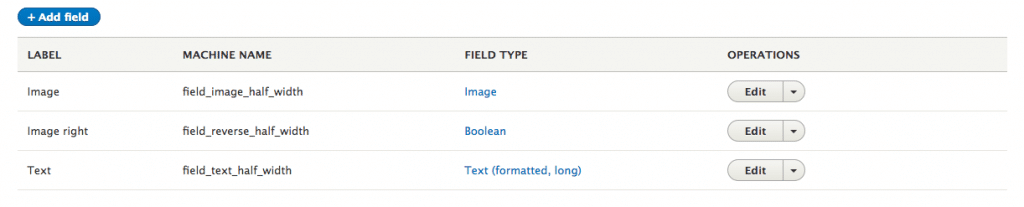
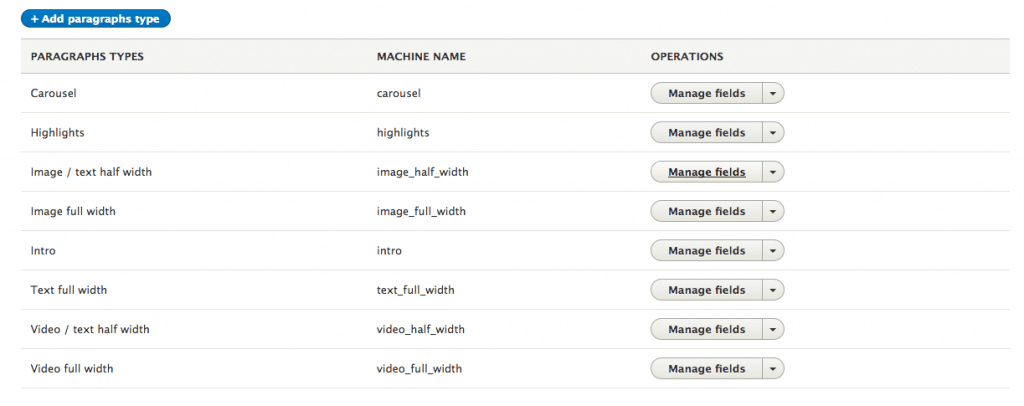
The Paragraphs module simply creates a new field type, Paragraph, which you can use in your content type. And for each type, you can add field types. Sounds familiar? Well… it kind of works the same way as a content type.

Paragraph fields


Now you’re probably thinking, “haha, what’s so life-saving about this” and you have a point. The field type is nothing life-saving at all, but the paragraph types behind it are.

Paragraph types

A paragraph type consists of fields, and these fields are the same types as those of a content type (you even get an extra reference option to another paragraph).

Paragraph types


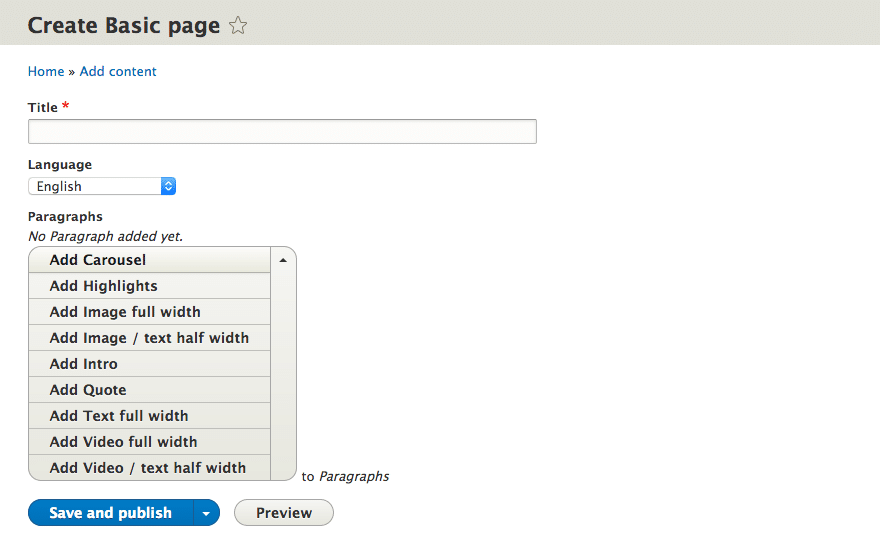
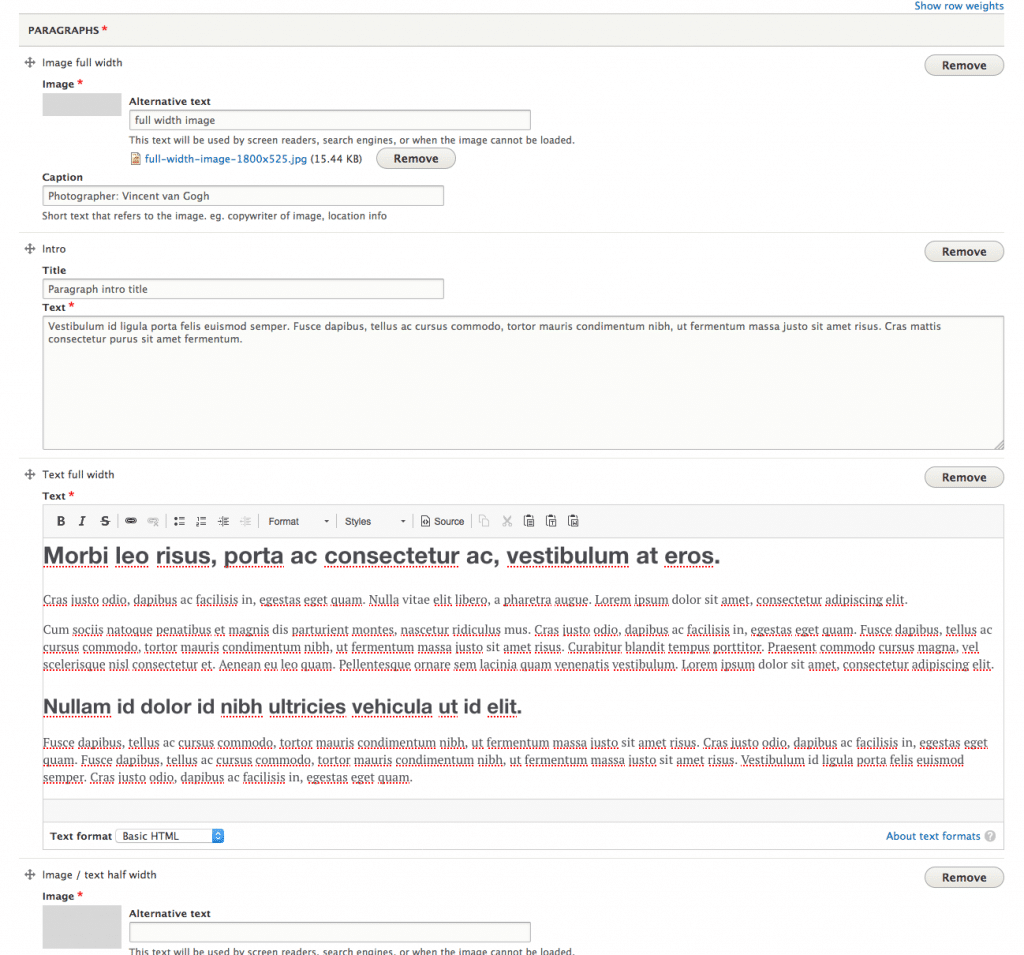
After you’ve created your paragraph types, you can add them to your content type – and this is the nice thing about it. Basically, you create a field with a reference to paragraph types. You can define no paragraph types, which will let you use them all, or you can define only those you would like to use in a specific content type. When you create a new node you can use as many paragraphs as desired, and you can mix them as much as you like. There’s also a handy little drag and drop so you can change the order of the paragraphs really quickly and easily.

Paragraph – Add content
Paragraph – Added content


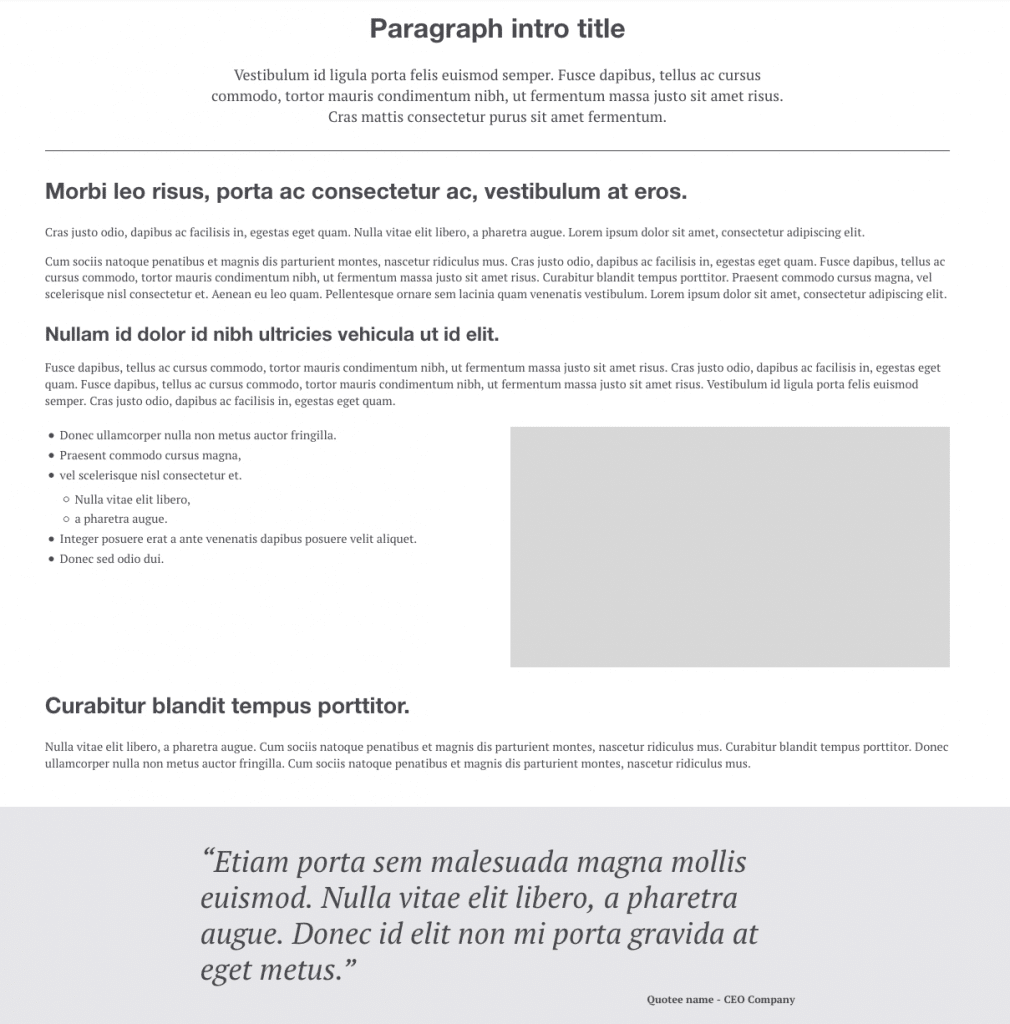
Each paragraph type has a matching template file, where you can add the needed HTML markup. This allows you to theme per paragraph and that way, you don’t have to worry about the layout of your node. It doesn’t matter if you add a certain paragraph type to the top of the content or the bottom; if the theming has been done properly, it will look good.
 

Paragraph frontend


Looking pretty good, right? Try that with one huge WYSIWYG body field. Yup, didn’t think so!

Why you should only use it for static content 

The purpose of this module is to create nicer and cleaner content. As in content created by the client. Overview pages, feeds, or any other item that needs dynamically generated content, should probably be handled by something that is able to do this automatically, like views.

If you want to give the content editor a bit more freedom layout-wise, but at the same time you don’t want to worry about your pretty layout getting messed up, the Paragraphs module is exactly what you need. Dying to try it out? You can find the module here. I truly hope you enjoy using it as much as I do!

Smooth rolling
16.05.2017
Arto Iijalainen

How to visualize the status of a sprint in JIRA?

The chosen project model is often critical to the project’s success. That is why we at Druid prefer agile methods and Scrum. Scrum requires all the work of a project to be gathered to a single place so that it can be managed properly. Even though a hip method might just be to scribble notes on pieces of paper and stick them to a wall, we have settled on a more engineerish solution, and use the JIRA project management software. We might lose out on some hipster points, but what we gain are various different project views, comprehensive reporting and other useful features.

On default settings JIRA creates two views for a Scrum project; a backlog view and a view for the active sprint. In addition, the workflow is very simple; just ‘To Do’ → ‘In progress’ → ‘Done’. For many this is enough. Or is it? Let’s find out.

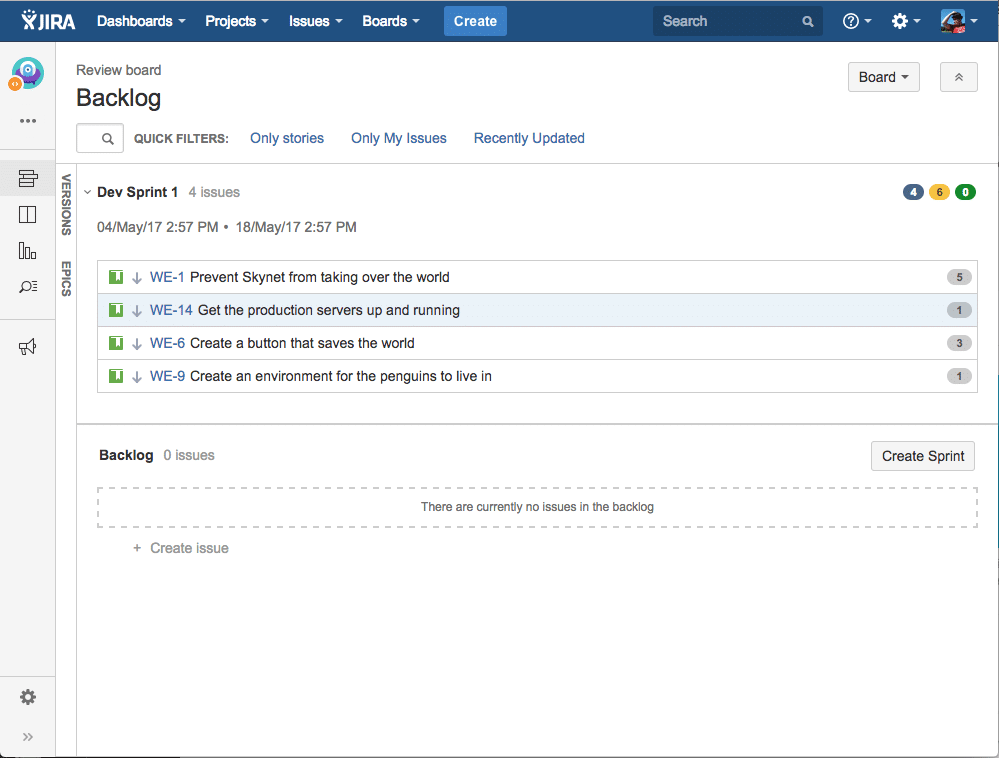
In the ‘Backlog’ view you create stories, give points, assemble a sprint and initiate it. The stories get (technical) subtasks added to them. So far so good. Let’s switch to the view for the active sprint. I undertake one of the stories. I can easily see what subtasks the story has, and the status of those subtasks. One by one, the subtasks are completed until all of them are done. The story is finished!

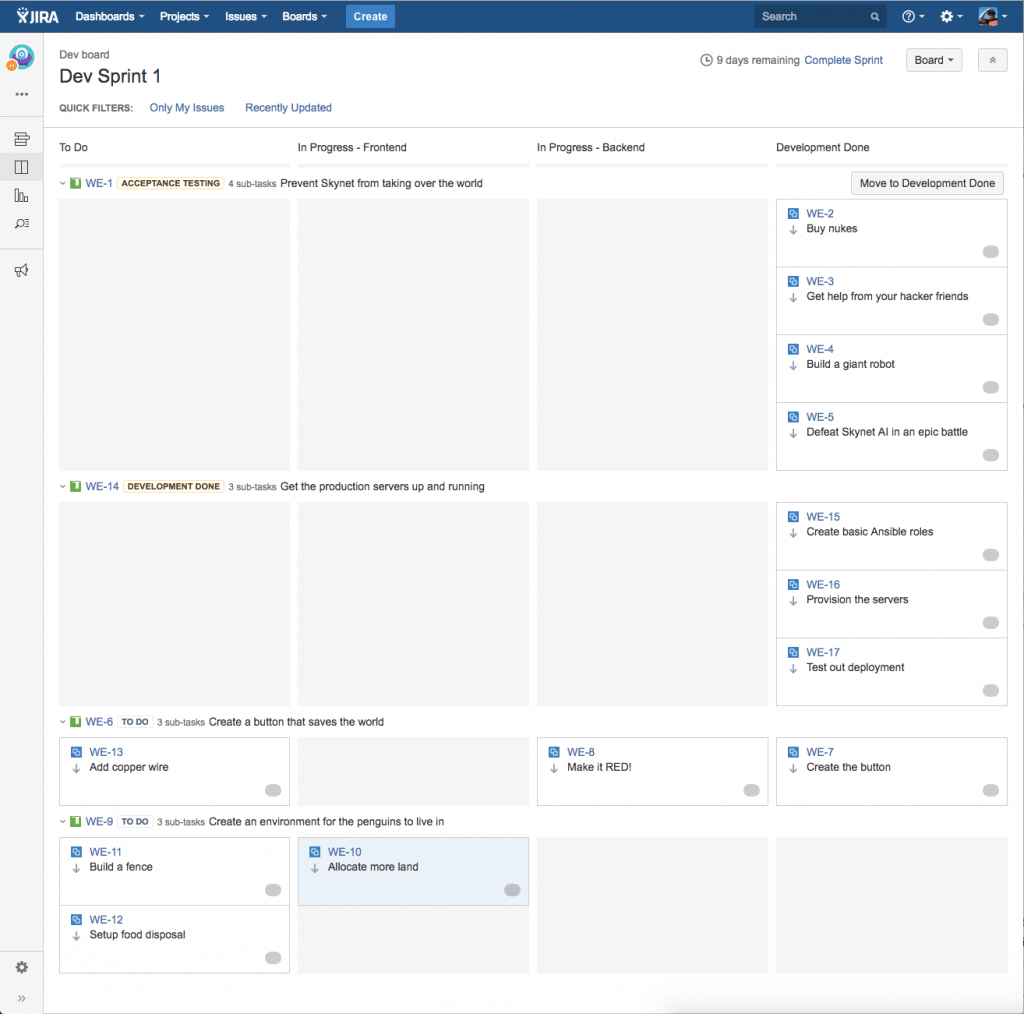
No, wait a minute… Of course the story has to be put through peer review to ensure the technical quality of the work. And naturally the product owner will want to use a separate testing environment to check that the story’s requirements are met before signing off. Hmm… Should separate subtasks be created for all this? For each story? That sounds like a lot of repetitive work.

Backlog view
Active sprint view

The correct solution is to follow the golden rule of software architecture: model the desired structure with the features that the system offers, so that the system will ‘understand’ what you are doing. In this case, the goal is to model the whole process of the stories from the beginning to the end, so the first step is to expand the JIRA project’s workflow to cover all the phases of the sprint.

The necessary phases will vary between projects. Here is one example:

  • Sprint Backlog
  • In progress – Frontend
  • In progress – Backend
  • Development Done
  • Peer Review & Deployment
  • Acceptance testing
  • Done

This too is best handled agilely. The first version is drawn up according to your best knowledge, and after that the phases are modified according to the experience gathered. (Pro tip: The project’s workflow should be labeled ‘Simplified Workflow’, so making changes is easier.)

When the workflow is all in order, we should work magic with the views. The view for the active sprint should work as before, so that the development work will run as smoothly as possible. That’s why you’ll only need the first four steps in the view (from ‘Sprint Backlog’ to ‘Development Done’).

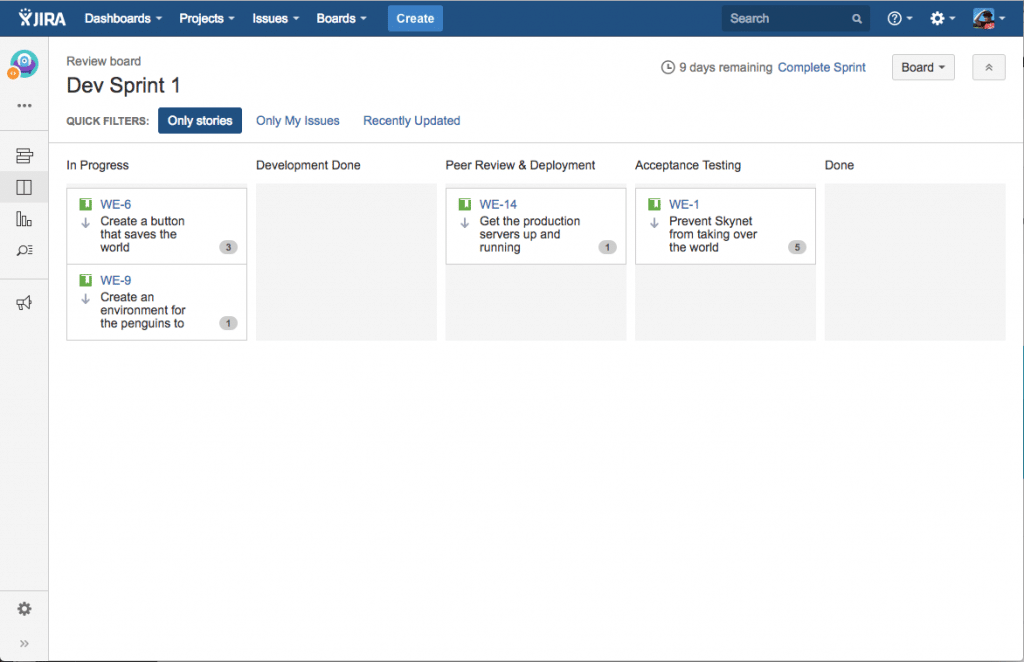
In addition to that, a new view is created, called the ‘Review’. The purpose of the Review view is to offer a quick overview of the status of the sprint, and to allow processing the work on a story level, which is required on the final stretch of the sprint pipeline. In addition, we want to group the first four phases (‘Sprint Backlog’ through ‘Development Done’) into a single column titled ‘Develop’, because those phases have to do with the subtasks, and at this point we are interested in the stories themselves.

See a more in-depth installation guide on video:


The end result is that the stories’ workflow has been modelled into JIRA, and now you don’t have to guess or try to remember what phases the stories are on. In addition, it’s easy for everyone, even outside of the project, to check on the sprint’s progress.

Visualization also helps in finding bottlenecks; if, for example, stories keep cropping up in the peer review column, the development process should be modified to lean more towards peer review. There are exceptions, but continued congestion is a sign of a defective process. Luckily the retrospectives that are built in to Scrum can be used to bring the issue to light, and possible fixes can be tested easily. The views will show directly whether the fixes work.

End result: The Review view that offers an overview of the sprint


A couple of known issues:

– At the end of a sprint the stories are in ‘Done’ status, but their subtasks are left in ‘Development Done’ status. Before closing the sprint, the subtasks have to be manually moved to the Done column. The move action can be performed on all the subtasks by searching them with the ‘Issue Navigator’ and changing their status with the ‘Bulk edit’ tool. The fix can also be implemented automatically with JIRA’s own script language, but we haven’t gone that far yet.

– In the ‘Review’ view, the ‘Only stories’ filter has to be manually activated. If you find excessive clicking annoying, a quick fix would be to add the view to your browsers bookmarks and to the bookmark toolbar. We developers use Grease Monkey scripts that add the proper links automatically to our browsers.

Author

Arto Iijalainen

Production Director
Better UX with React
27.02.2017

A smoother user experience with new technology

The Aava Medical Centre is one of our customers with very high expectations concerning user experience. In order for us to meet these expectations in a cost effective way, it’s important for us to utilize the most modern tools when building their services. Luckily for us, for the whole duration of our cooperation, Aava has committed itself to adopting new technology. This way Aava has also avoided excessive expenses during updates.

At the end of 2016 we set a goal with Aava. We decided to combine the frontend solutions for Aava’s different services, all of which have been created using different backend systems. At present, all of the systems have their own user interfaces, which has led to maintenance being cumbersome and non-scalable after the systems have expanded. Despite the fact that we have utilized modern tools building the current systems, the work always has to start from scratch for each system. The development of the user experience is also hindered, since the systems look very different from each other.

We began with building Aava’s “Terveytesi” (Your health) service. The goal of the project was to quickly create a new service from which customers would be able to easily find information on their health, for example diagnoses and appointment reservations.

Why did we end up using React?

Building the service required changes on the architecture already in place. For the development to be cost effective in the long run, we decided that all of the functionality available before the architecture overhaul would also have to be available after the overhaul. Because of this, we ended up focusing most of our effort on forming functional interfaces. For this project it was only natural to create a browser application, since the service would not require a lot of business logic outside of the interfaces.
 

Ember.js and React.js were both picked for consideration, since the team members had had positive experiences with them previously. Initially we tried to estimate which of the two systems would be easier to adopt into the current architecture, but we had to accept the fact that the comparison would be difficult, since neither seemed to fulfill the requirements we set at the start of the project. We therefore ended up comparing their community support and they way each of the systems had been implemented. In the end, we chose React, since we believed it would have more support in the long run.

How did the project run?

Adopting new technology always creates challenges. On this project, the most prominent challenge was how modern technology would merge with the infrastructure and programs Aava already had in place, even though the whole in itself had already been modern, per se. Also, not all of the team members had previous experience with modern JavaScript (es2016+). But we’re all for challenges, so during the project we made sure that each team member would have the same level of readiness to take part in the development of the project.

The infrastructure in place for Aava has been kept up to date for the whole length of our cooperation, but despite that, at first the development seemed to advance slowly, because we had to concentrate largely on developing the previous architecture; groundwork takes time. The main reason for this was that Aava did not have similar JavaScript implementations in use. When we completed the first components, we begun to pick up the pace, and new functionality started cropping up very rapidly.

Because we wanted to expedite the start of the project, we took a lot of our cues from boilerplate solutions. This proved to be a mistake at a later stage, when we had to sort through bugs found in the copied parts. The sorting was a challenge since we weren’t completely up to speed with all the choices and weaknesses in the code.

In the end, the project took about two months, approximately half of which was used to developing the previous infrastructure. We have now released the application for internal testing and it is soon going to be released for public.

Technical choices

Since PHP 5.6, which is still in wide use, is starting to fall short of Aava’s high standards, we decided at this point to update the service to PHP version 7.1, so that we could benefit from the increase in speed and amount of features. Many PHP libraries have already ceased to support PHP 5 versions, which complicates developing new things on top of PHP 5 versions. Aava was our first client to adopt PHP 7.1 into an existing project. This raised a lot of interest also outside of Druid.

For the moment we are using Drupal 7 as a backend system for the application. The API we’ve designed works so that the frontend application will be easy to move onto any platform. This way Aava’s technical choices will not be restricted by the technical choices we’ve made. We came to this decision because there was a substantial amount of functions already built for Drupal, which would speed up the development of the software.

We used the Swagger tool for the API documentation. Swagger documentation has been compiled from JSON data. The same file was also used to generate the interfaces.

Summary

As a whole, the project proved to be very interesting. Particularly the constant utilization of new technology keeps the mind sharp and the team motivated. It also ensures good mileage for our customers’ systems, and as low a cost as possible during the development phase. 

13.01.2017

Drupal IronCamp – A peek behind the scenes

Have you ever wondered what it takes to organize a Drupal community event? How is it done, what happens behind the scenes? Now is your chance to find out! We hooked up with Zsófi Major and Petr Illek, two of the main organizers of last November’s Drupal IronCamp, to find out about the joys and challenges of event organizing. Some good tips coming up as well!

Where did the idea for the event come from?

Zsófi: At Drupalaton 2014 in Hungary, at one of the social nights, we started to talk about how nice it is that people from Eastern Europe come together to DrupalCamps, and how many great, great talents we have in the region. We also talked about how nice it would be to show this to the world, and to start building a community between different nations, not only in Eastern Europe. Then came the DrupalCon in Amsterdam where I pitched this idea at the Community Summit, and the rest is history. 🙂 

Petr: In Amsterdam a group of people from various Central and Eastern European countries brainstormed about making DrupalCamps more accessible for people from that area. Local camps are usually too small or short, and with lower budgets to attract big speaker names. The name IronCamp was born very soon, as it was the common denominator for all these countries.

Zsófi: Yes, the name was a good one. IronCamp was the only suggestion that came up at the summit during the first talks, and even if we agreed to have it as a ‘working title’ for the moment, during the Con it turned out that people liked it. The countries that we wanted to involve in kicking off the event have something very important in common: we all have a history with the Iron Curtain. Even nowadays it is still a sensitive topic, but we realized that this is what we want to achieve with the camp: opening the invisible borders and see so many great friends together. 

Can you tell a little bit about the planning process?

Petr: We started the work just after Amsterdam, with the aim of having the first event in Budapest, but sadly we had to cancel it a few months before. It was a valuable lesson though. We then had a few discussions at DrupalCon Barcelona and also at DrupalCamp Vienna and agreed to have another go, this time in Prague. The planning restarted right after Barcelona, but the main focus with weekly meetings was from January/February 2016.

Zsófi: Personally, I was pretty much involved in the things around the camp from moment zero. It wasn’t easy, but starting a brand new DrupalCamp can be very challenging, and we knew that. 

How many people were involved in the organizing? How did the team work?

Zsófi: On our Slack channel we have around 40 people, but we knew that most of them didn’t want to be involved in the actual organizing part, and I think having 10 people in the core team is mostly enough. We learned a lot about how to delegate tasks and how to trust people with getting the things done. What I find hardest when it comes to event organizing is that the level of emotional involvement of people is not always obvious and of course cannot be the same all the time for everyone. This is why the team members need to figure out the optimal way to work together, as not everybody is interested in fixing bugs on the website or managing social media.

Petr: We had people from different countries in the main organizing team, with varying levels of involvement: Czech Republic, Serbia, Hungary, Slovakia, Romania, Poland, Macedonia, Spain, the Netherlands. We didn’t set the responsibilities very strongly, they just automatically fell in place (we will need to improve on that the next time).

What was fun or interesting about organizing this event?

Zsófi: For me, working together with this team was the best part. I think having an international team is great, because everyone has a different point of view, everyone is sensitive to different things, and it was interesting to see how it all comes together in our hands. I felt very sad when we had to cancel the first event back in 2015, and then seeing it happen by these wonderful people was an awesome feeling. And I can’t wait Belgrade in 2018!

Petr: I also enjoyed being part of an international team. And the fact that it was my first real organizing experience made it all interesting. I really liked the moment when the attendees started to buy tickets and I realized that all these people (220) came to Prague because of something I helped prepare. The names of our session rooms (Krteček, Švejk and Cimrman) were selected because they are among the most well known Czech fictional characters.

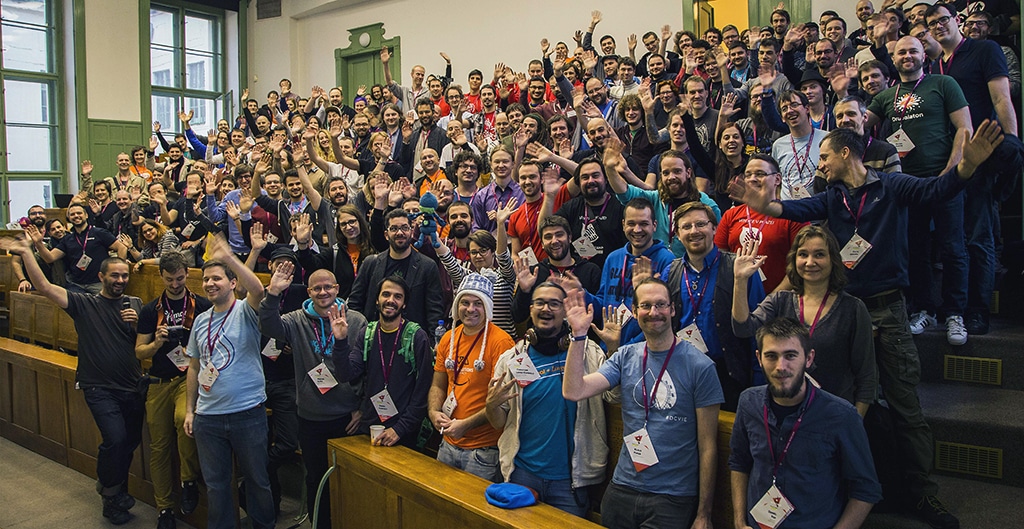
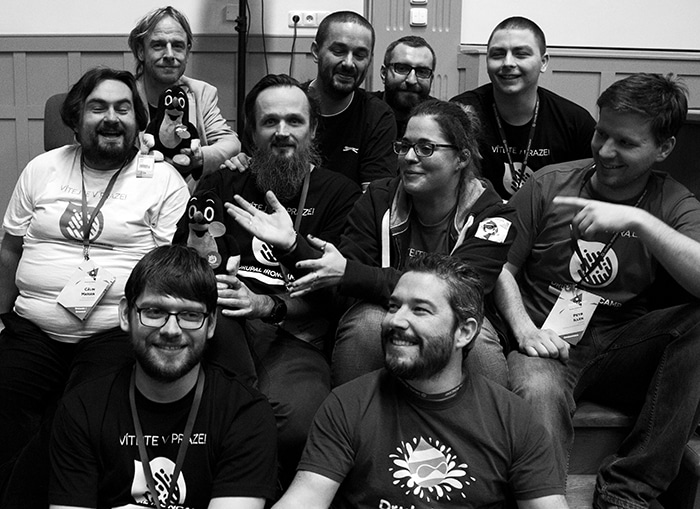
The dream team! From up left: Floris van Geel, Mojzis Stupka, Vasil Grozdanoski, Radim Klaška, Călin Marian, Miljenko Vujaklija, Zsófi Major, Petr Illek, Miro Michalicka, Rubén Teijeiro

What did you find challenging?

Petr: It was a challenge to organize the event by communicating through hangout meetings, sometimes with bad connections. 

Zsófi: Yes, it was pretty challenging. But for me, the biggest challenge was to coordinate and help coordinate this size of a team at the same time. We met several times during the year, but never intentionally. When there were DrupalCamps or Cons where most of the team was together, we sat down and talked about what’s next and how to achieve our goals. But when you have a team of 10 remote people, who have their own lives, family and work, and doing all this voluntarily, it’s a different thing. But I think we did a great job, and learned a lot in the process.

Was there anything that surprised you?

Petr: The support from the international community during preparation. It ensured us that we are doing a valuable thing. And then of course the mainly positive reactions of attendees during and after the event.

Zsófi: I agree with Petr. The support and the help we received in the past two years is incredible. We received a lot of financial support as well which of course was a huge practical help in bringing the event together, but for me the general feedback was everything. Everywhere I went, all the people I talked to, everybody was open and interested in what we were doing, and it gave us reassurance that what we do is a really great thing and good for the Drupal community as well. 

From your perspective, how did the event go?

Petr: We had a scenario for the event days, so everybody knew where they needed to be and when. But obviously we forgot a few things, and there were some unexpected situations as well (e.g. you enter one of the session rooms and discover a teacher with some students on their usual class…). But after the hectic first few hours we settled down and sticked to the plan more or less successfully. 

Zsófi: Organizing an event can never really be scripted. You can have a scenario, a list of things you are supposed to do at a given time, but of course when you are actually there at the venue, it turns out that things take more time, require more assistance, and anything can come up that you didn’t expect in advance. It’s a great way to gain a lot of experience that will make you an expert of handling those unexpected situations. Of course we all have THE ideal event in mind, and we aim to achieve that, but we also learn how to let dreams go, and how to bring the best out of what we have.

Do you have any good tips for other event organizers?

Zsófi: Learn how to delegate and trust people. Learn from your failures and try to understand how you can make it better next time. And keep observing yourself to make sure you don’t burn out. 🙂

Petr: Make a schedule early in the project and stick to it. Split responsibilities among the team and stick to them. If I’m responsible for session recordings for example, it doesn’t mean I need to handle everything related to that. Other team members can work on it too, even more than me. Responsibility just means overseeing and keeping track of the status, and being available for other team members’ questions. Also, choose a head decision maker. Democracy is nice, but there are situations where somebody just needs to make a final decision, due to time pressure for example.

What was great about the event? Why should people attend the next IronCamp in Belgrade in 2018?

Petr: It was and it will be the best Drupal event of the year! I think we have created a fun, open and accessible event for everyone, not only Drupalers, mainly from the region. There were sessions for beginners and masters alike, as well as job speed dating for connecting companies with open positions with developers looking for a job.

Zsófi: The professional part of the event is very important – we had great sessions and I’m very proud of our lineup of speakers. What I found very good at IronCamp was the people who attended. There were so many people from different countries, areas of expertise, knowledge, age, etc, and it was great to see that they were brought together in Prague by Drupal. I think our event was a great example of  ‘come for the software, stay for the community’, and I know that this will be the same in Serbia too. 

What’s your motivation for organizing Drupal community events? Why are you doing this?

Petr: This is my way to contribute to the Drupal project on the international level, as I cannot give back directly by coding a module or patch, and my presence on the local drupal.cz forum is – well, just local. The other thing is, it’s very refreshing to step away from 8+ hours a day of Drupal and do something else (for another 8+ hours!): communicating with people, taking responsibility for certain parts of the event, doing design and DTP for the camp etc.

Zsófi: The Drupal community really is great. When people ask me why I do this, working for months to bring a few dozens of people together for a few days, I always say that because I love seeing these people together. We all have our own lives and stuff, and even if we stay in touch between events, those few days when we can talk and laugh together, hug each other or just sit next to each other at the sessions or in the sprint room, these really give all of us some kind of a power boost. And I find this incredible.


Druid was one of the gold sponsors of the event.